Install The APK On Android When Your Phone Blocks Jai Club
The Jai Club App Download is an APK file of about 49 MB. You get it from the download button at the top right of the Jai Club website home page, not from Google Play. Because the file comes from outside the Play Store, many Android phones stop the install the first time you tap it. That block is normal, and one setting fixes it.
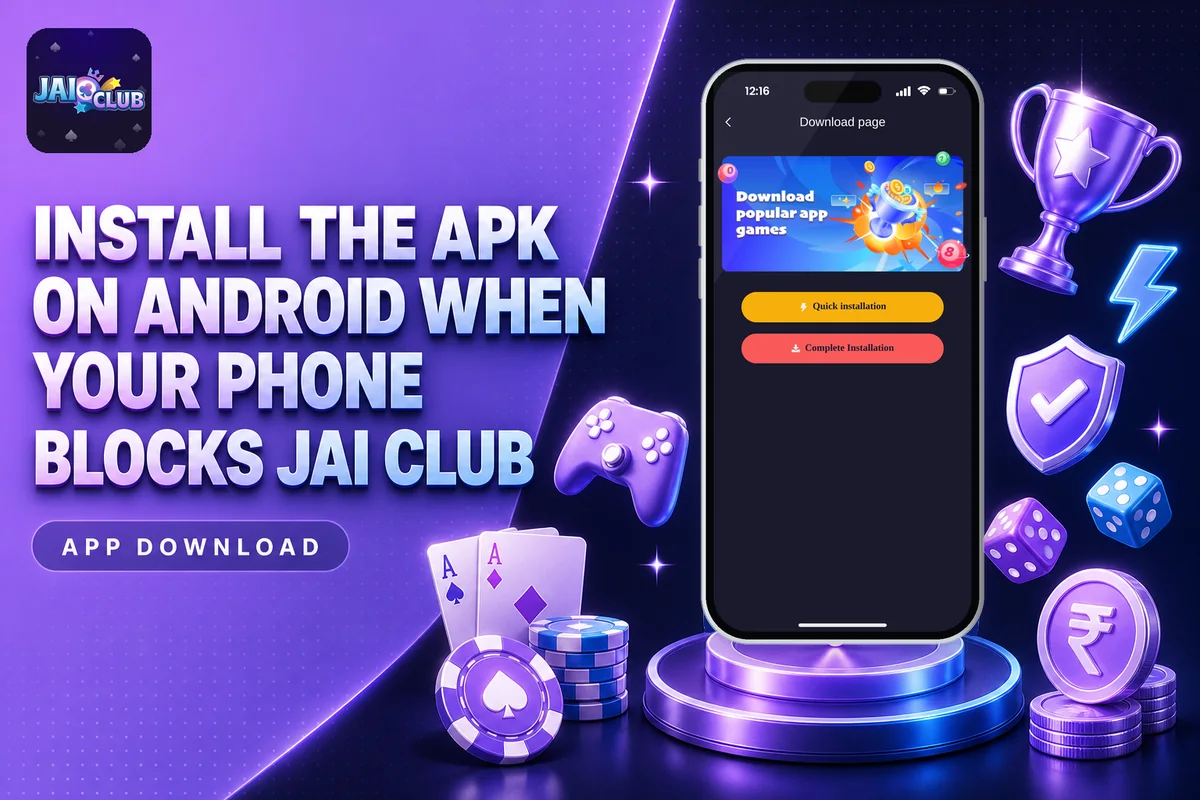
This page covers the button’s location, the reason the app is missing from Google’s store, the way to enable unknown sources, and every installation step. People using an iPhone or a PC can skip the APK and simply visit the website in a browser. The app is meant only for players 18 or older, and all its games involve real money, so stake only what you can afford to lose.
Where Is The Jai Club App Download Button?
The download button sits in the top right corner of the home page. Open Jai Club in Chrome or another mobile browser on your Android phone and tap that button. The APK starts downloading right away.
Many new players search the Play Store first, find nothing, and then install a copy from a random Telegram group or a YouTube link. Do not do that. A file that did not come from the website itself may have changed code in it, and it can steal your login details or your UPI information. Use only the download link on the official site.
When the download finishes, your browser shows a small message at the bottom of the screen. You can tap Open there, or find the file later in your phone’s Downloads folder. The file name will have .apk at the end.
Why Is The Jai Club App Not On Google Play Store?
The Jai Club App is not on the Google Play Store because Google’s policy does not allow real-money gaming apps like this one in its store. So any listing you see on Play Store with the same name is not the real app. Report it and skip it, and use the download page instead.
This is why the app download works only as a direct APK. Apps such as Win Go colour games, Aviator and slots use real deposits, and that is the kind of app Google keeps out. The platform hosts the file itself and gives it out from its website through the download button.
There is one practical effect of this. Play Store usually updates apps for you, but an APK does not update by itself. When a new version comes out, you download it again from the same button on the website and install it over the old one. Your account stays the same because it lives on the server, not on your phone.
Jai Club App Download And Install Steps For Android
Follow these steps in order for your download. Most phones finish the whole thing in under two minutes on a normal mobile data connection.
Visit the website in your browser and tap the download button at the top right of the home page. Wait until the 49 MB file has been fully downloaded.
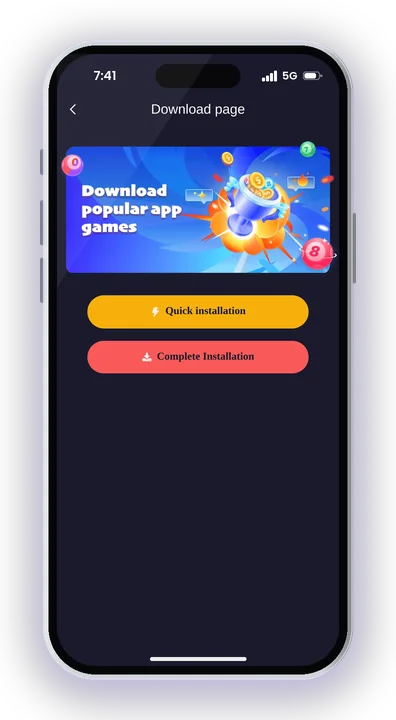
Tap Open in the browser message, or go to File Manager and open the Downloads folder, then tap the APK.
If a warning pops up on your phone, open Settings, head to the security or privacy section, and permit installs from unknown sources for the browser or file manager you are using.
Go back to the Downloads folder and tap the APK file again. The installation screen should now open without any problem.
Press Install and wait. Do not close the screen or lock the phone until you see the App installed message.
Tap Open. New players can create an account with a mobile number, and old players can log in with their existing details.
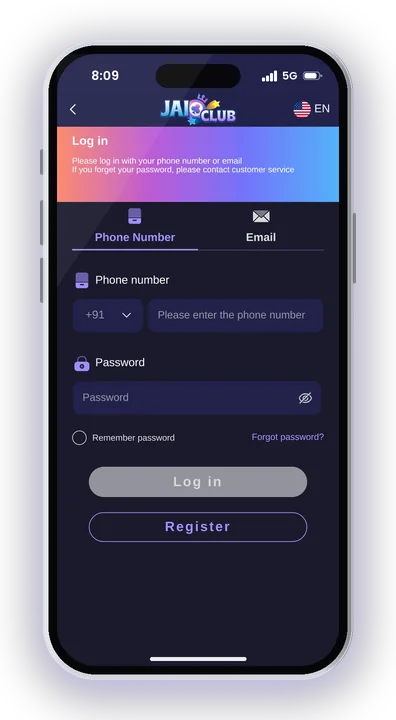
If you are new, the Jai Club Register page shows the full sign-up form. The invite code 385987864126 is needed during sign-up, so keep it copied before you start. Players who already have an account can go straight to the login page and use their mobile number and password.
How To Turn On Unknown Sources When Your Phone Blocks The APK
Android blocks any app that does not come from Play Store until you give permission, including this download file. The message usually says something like For your security, your phone is not allowed to install unknown apps from this source. The fix is in Settings and takes a few seconds.
Setting On Newer Android Phones
On most phones today, the warning box itself has a Settings button. Tap it, then switch on Allow from this source for Chrome or your file manager. Press back and the install screen appears.
If you closed the box, open Settings, search for install unknown apps, pick the app you used to open the APK, and turn the switch on.
Setting On Older Android Phones
Older phones have one main switch instead of a per-app setting. Go to Settings, then Security or Privacy, and tick Unknown sources. Accept the warning, then go back and tap the APK again.
Turn It Off After Installing
After the app has been installed, you may turn that permission off. The app will carry on working, and your phone remains safe from any other file you might tap by accident later. You need to enable it again only when installing an updated version.
Jai Club App Size And Basic Details
Here are the main details of the Android app from the jai club app download page, so you know what you are installing before you tap the button.
| Detail | Value |
|---|---|
| App name | Jai Club |
| Category | Online Gaming |
| File size | 49 MB |
| Supported devices | Android only |
| Where to get it | Download button, top right of the website home page |
| Google Play Store | Not listed |
| Internet | Needed at all times |
| Customer support | 24/7 |
Keep at least double the file size free on your phone, as Android needs extra room while it unpacks the APK. The app does not work offline. Every Win Go round, slot spin and wallet update talks to the server, so a weak signal can make games load slowly or log you out.
Jai Club Game Download Not Working? Common Problems And Fixes
Most jai club app download install problems come from three things: a broken download, low storage, or an old version still on the phone. Each has a simple fix.
App Not Installed Or Parse Error
Most often this means the download did not complete. Remove the APK from Downloads, switch to a steady Wi-Fi or mobile data connection, and download it once more using the button on the website. An incomplete file, being under 49 MB, will always fail to install.
Conflict With An Older Version
Android can reject the new file when an older Jai Club app, or one obtained elsewhere, is still on your phone. Remove the old app first and then install the new APK. Your balance and game history belong to your account, so uninstalling costs you nothing.
Phone Says The File Is Harmful
Play Protect often shows this for any APK that is not in the store. If you downloaded the file from the website itself, you can tap More details and choose Install anyway. If the file came from a WhatsApp forward or an unknown link, delete it and get the real one.
App Opens But Will Not Load Games
Check your internet first, since the app cannot run without it. Then clear the app cache from Settings, Apps, Jai Club, Storage. If games still freeze, the in-app customer service under the Account tab has a Game Problems option where you can report it.
Can You Use Jai Club On iPhone Or PC Without The APK?
Yes. The app supports only Android, so iPhone and PC users skip the jai club app download and open the Jai Club official website in a browser instead. You get the same platform access, the same account and the same wallet.
Using Jai Club On iPhone
Open Safari, type in the website address and log in. If you want it to feel like an app, tap the Share icon and choose Add to Home Screen. An icon is then placed on your home screen, and one tap opens the site.
Do not trust anyone who sends an iOS app file or a profile to install. There is no iPhone app, so such files are fake.
Using Jai Club On Laptop Or PC
Open Chrome, Edge or any browser and go to the website. Lottery games like Win Go, K3, 5D and Trx Win work fine on a bigger screen, and the timer is easier to watch. Bookmark the page so you always land on the correct address and not a copy site.
Is The Jai Club App Safe? Fake APK And Hack Warnings
The APK is as safe as its source. The file from the website’s own jai club app download button is the one to use, and every other copy is a risk. Your account is protected by login authentication, a password and sometimes OTP verification, but that protection fails if you install a tampered app.
No Jai Club Hack Or Mod APK Exists
Videos promising a Jai Club Hack, a modded APK or a Win Go predictor app are scams. Game results are random and decided on the server, so no app on your phone can see or change them. These files usually ask for your login or a fee, then empty your account or vanish.
Links Sent In Chat Are Fake
Members never receive links from customer service. If anyone on WhatsApp, Telegram or a phone call shares a fresh download link or a payment page, don’t open it. Contact support only through the in-app customer service in the Account tab.
Age Limit And Real-Money Risk
Only people aged 18 or above can register. Every round uses real money, results are unpredictable, and you can lose. Decide on a playing budget before you deposit, keep stakes small, take regular breaks, and never chase your losses. Rules on real-money gaming differ across states, so find out what applies in your area before you begin.
Jai Club App Download – FAQs
Is the Jai Club App Download free?
Yes, the APK can be downloaded from the website at no cost, and opening an account is free too. Money is needed only when you wish to enter a game round. The smallest deposit is Rs. 100 via UPI or $10 via USDT.
How many MB is the Jai Club app?
The Android app is 49 MB. Keep some extra free storage, as Android needs room to unpack the file while it installs. If the downloaded file is smaller than this, the download broke and you should download it again.
Why can’t I find Jaiclub on the Play Store?
Google’s policy does not allow real-money gaming apps in its store, so the app is not listed there. Get the APK only from the download button at the top right of the website home page, and ignore look-alike apps.
Do I need to register again after installing the app?
No. If you already have an account from the website, just log in with your mobile number and password. The same account works on the app and on the browser, with the same balance.
Final Words
Getting the app on your phone takes three things: the APK from the top right button of the website, the unknown sources permission when Android blocks it, and a stable internet connection. iPhone and PC players skip the APK and use the browser. For the full list of games and features, visit Jai Club for Indian players.
Stay away from hack apps, predictor tools and any download links forwarded in chats. Jai Club is intended only for adults who are 18 or older. Every game involves real money and results are random, so fix your budget before the first deposit and stick to it.